
October 21, 2025 · 5 min read
When Something Breaks in Your Online Shop
When an online shop breaks, the cause is usually fixable and often hidden. See what gets checked first and why it matters before peak season.

When your online shop suddenly stops working the way it should, it’s more than just annoying. It creates stress and confusion, especially if you’re trying to run things smoothly and keep customers happy. Maybe a product page won’t load. Maybe the checkout page freezes. Whatever it is, it can slow sales fast.
Some of that is just people browsing or comparing prices, which is normal. Roughly 70% of shopping carts are abandoned before checkout completes. But abandonment that happens late, after someone’s already added items and started paying, usually means something else got in the way: a specific, fixable problem, not just a shopper changing their mind.
That’s where ecommerce developers come in. They’re the quiet fixers behind the scenes, rolling up their sleeves to figure out what went wrong and how to sort it. They look into the details that most people ignore, finding what’s broken and getting it back on track. Sometimes a fix takes a few minutes. Other times, it takes hours of digging through code or testing different tools.
These kinds of problems tend to show up more when traffic gets heavier, like in the lead-up to Christmas. So early autumn is one of the best times to catch them before they cause real trouble. Let’s talk about what causes these issues and what gets fixed first when something goes off track.
What an Ecommerce Site Looks Like When It Breaks
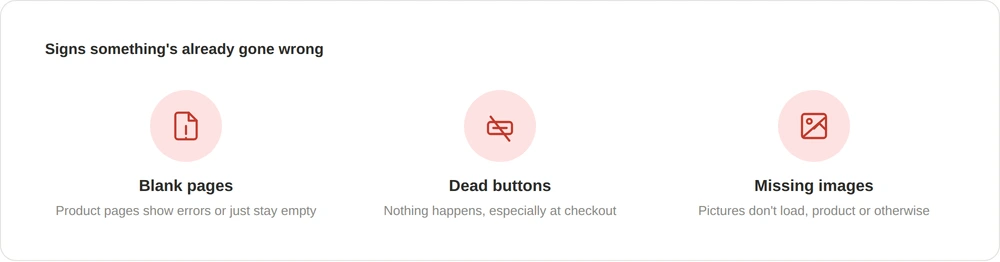
Most people know something is wrong the moment they see it. The page doesn’t load, or that spinning wheel just keeps going. Here are a few of the most common signs:
- Product pages show error messages or just stay blank
- Buttons stop working, especially during checkout
- Pictures go missing or won’t load at all
When pages like these stop working, shoppers usually leave. It might seem minor, but if a product image is gone or the “buy now” button isn’t doing anything, trust starts to break. And when there’s no trust, people don’t buy.
Some problems only show up for a few people on certain browsers, while others affect the whole site. Either way, it’s a clear signal that something deeper is going wrong underneath the surface.
Common Behind-the-Scenes Problems
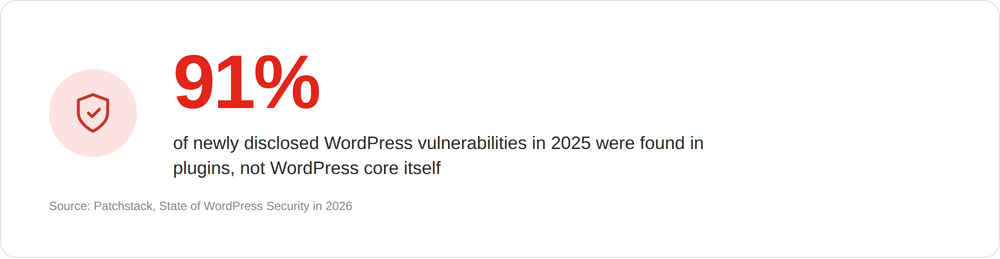
Not all problems are easy to spot. Some are buried in the back end: things only ecommerce developers are really trained to catch. These are often caused by updates or bits of code not playing well together, and plugins are usually where the risk lives. 91% of new WordPress vulnerabilities disclosed in 2025 were found in plugins, not WordPress core itself. The core software is generally solid; it’s the plugins layered on top that need watching.
Say your site installs an automatic update overnight. If one plugin isn’t ready for it, or clashes with another, things can break by morning. Suddenly checkout won’t finish a sale, or the menu no longer appears on mobile.
A few frequent causes:
- Bugs from theme changes or new scripts
- Outdated or clashing plugins that glitch during loading
- Missing files or assets accidentally deleted
Troubleshooting requires careful checks to find exactly when and where something went wrong. That’s why it’s smart to have someone who knows ecommerce development well investigating the root cause.
What Gets Fixed First
When things go off track, the first priority is to stop further issues or data loss. Developers may temporarily pause the shop or lock down features so things don’t get worse. Developers take backups first, just in case.
Then comes finding the cause. Developers go through the code and test separate parts of the site while it’s partially offline. Key places to check right away are:
- Product search and navigation
- Shopping basket: does it add items properly?
- Checkout: are payments completing safely?
Once the main problems are sorted, developers move on to the smaller bits. Their goal is to get the shop running fast, all without losing data, especially as holiday traffic picks up.
Things People Don’t See, But Really Matter
A site can look fine on top but be slow or unstable underneath. These hidden issues add up, making the site harder to use and more likely to break at a bad moment.
Slow speed is a top offender. If the site lags or hangs, shoppers wander off before they see your products. Ecommerce sites that load in one second convert at roughly three times the rate of slower ones. Ecommerce developers find and remove what’s slowing things down: oversized images, leftover code, unused plugins.
Cleaning up code is another must. Old or unnecessary scripts can bloat a site over time. Developers tidy up the back end, keeping only what’s needed for the shop to run well.
Security patches are a third area. Threats change quickly, and sites need regular updates to stay safe. Developers patch security holes and update tools to protect both your shop and your customer data.
Getting Ready for Peak Times
Planning ahead saves trouble during the busiest months. UK shoppers are forecast to spend £26.9 billion online this holiday season, with £3.8 billion of that landing over Cyber Weekend alone. That’s a lot riding on a site staying up. Ecommerce developers do more than fix what’s broken; they help shops avoid issues that could hurt sales during Black Friday or Christmas.
Developers run stress tests on the busiest features: product filters, image galleries, carts, and checkout. They look for places where things slowed down last year, or where old bugs might show up again when traffic spikes.
A few key steps:
- Clean out old clutter in the code for faster speeds
- Patch up bugs found in last year’s shopping rush
- Run updates or upgrades during quiet times, not during big promotions
When the site is ready to handle holiday crowds, business owners can focus on selling, not scrambling to get it back online.
Helping Your Shop Work the Way It Should
When a shop breaks or slows down, it’s tempting to put off fixing it. But every small delay risks turning away good customers, and hurting sales just when they matter most.
If your shop keeps slowing down, crashing, or losing products during busy periods, you’re not alone; we’ve spent years sorting out problems just like these. If you’re weighing up whether to bring in help before the busiest season starts, our ecommerce development team can take a look.